
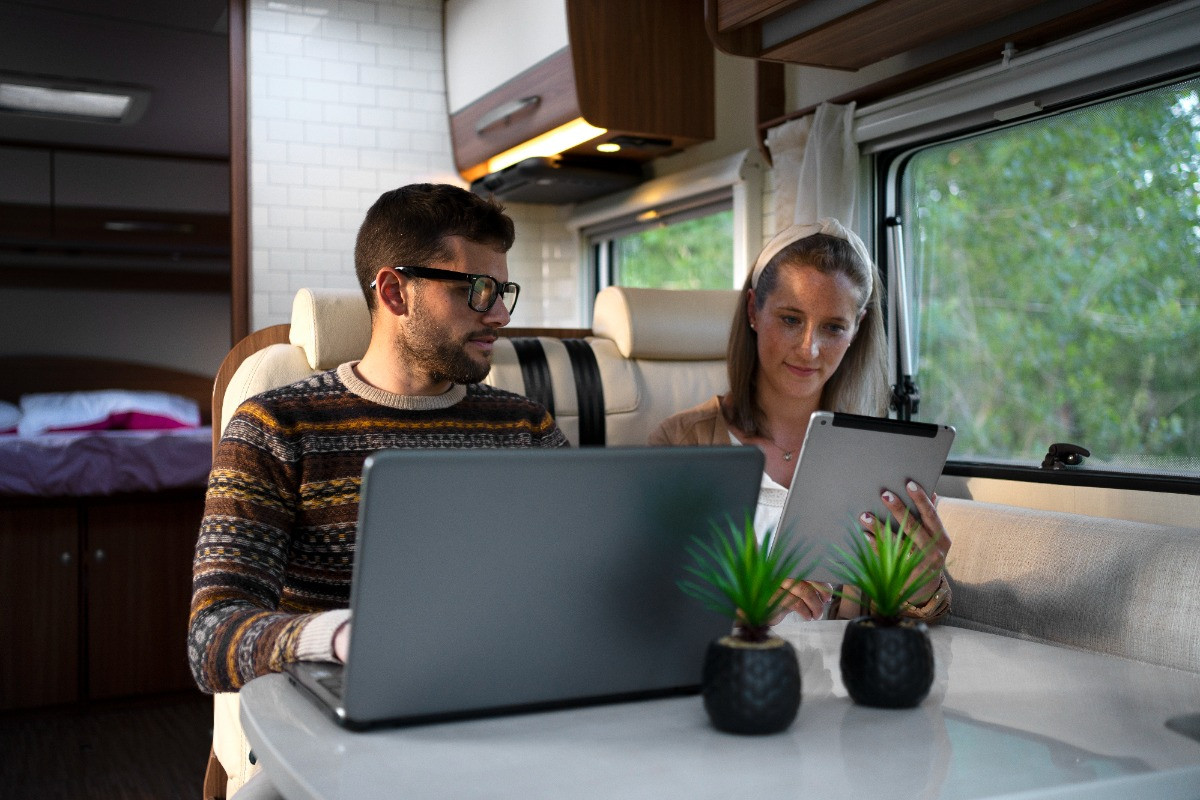
Do I Need a WiFi Booster in My RV? Pros and Cons
If you have ever watched your signal bars bounce between “pretty good” and “absolutely not,” you already understand the RV internet struggle. Campgrounds promise WiFi, your phone says you have service, and then the second you try to stream, hop on a work call, or load a map, everything slows to a crawl. RV travel is supposed to feel freeing, yet bad internet can make the simplest tasks feel like a chore. A WiFi booster can help in certain situations, but it is not a magic wand, and knowing what it can and cannot do will save you money and frustration.
Why RV WiFi Feels So Unreliable
Campground WiFi usually struggles for a few reasons that have nothing to do with your RV. One access point might be trying to serve dozens or even hundreds of devices at once, which can crush speeds during peak hours. Distance matters too, because the farther you are from the router, the weaker and noisier the signal becomes as it passes through trees, walls, and other rigs. Even when the WiFi name shows up on your phone, the quality of that connection can be too weak to be useful.
Your RV itself can also work against you in sneaky ways. Metal framing, tinted windows, and insulation materials can reduce signal strength, which is why the same WiFi network may work outside your rig but feel sluggish inside. Layout plays a role as well, since a signal that reaches your front living area might not reach a rear office space or a bedroom where you actually need it. When you stack all of that together, “spotty WiFi” becomes the default experience rather than the exception.
What Does a WiFi Booster Actually Do?
A WiFi booster is designed to grab an existing WiFi signal, improve your ability to receive it, and then rebroadcast it inside your RV so your devices have an easier time connecting. Think of it like moving your “WiFi ears” to a better location, then piping that signal into your living space. Many setups use an exterior antenna or receiver that sits higher or farther outside than your phone can manage on its own. Once your RV has a stronger connection to the source WiFi, everything inside tends to behave more consistently.
The important catch is that a WiFi booster cannot create internet where none exists. If the campground’s internet connection is slow because their service plan is weak, or because the network is overloaded, your boosted connection can still be slow. A booster is best at improving reach and stability, not at fixing the upstream internet quality. This is why some RVers swear by boosters while others feel like they paid for disappointment, since they were trying to solve the wrong problem.
Is a WiFi Booster the Same as a Cellular Booster?
A WiFi booster and a cellular booster solve two different issues, and mixing them up is one of the most common mistakes. A WiFi booster improves your ability to connect to an existing WiFi network, like a campground router or a guest network at a marina. A cellular booster improves your ability to receive cell signal from a carrier tower, which then helps your phone or hotspot work better. If you mostly rely on your phone’s data plan, you are usually thinking “cellular,” even if you casually call it WiFi.
A hotspot is the third piece of the puzzle, because it converts cellular data into a WiFi network your devices can join. If your hotspot works great in town but falls apart in remote areas, a cellular booster may be the better investment. If campground WiFi works fine near the office but not at your site, a WiFi booster may be the missing link. Matching the tool to your most common scenario is where the real savings show up, because buying the wrong gear feels expensive even if the price tag was reasonable.
Do You Need One for Your Camping Style?
Weekend travelers who mostly stay at established RV parks might benefit if they often camp on the edges of the property. If you tend to book late and end up farther from the main buildings, a booster can make the difference between “connected enough” and “constantly reconnecting.” This is especially true if you like using a smart TV, a tablet, and a laptop, since multiple devices can overwhelm a weak connection quickly. A booster can also help if you prefer staying inside your rig, because it can reduce the signal loss that happens when your RV blocks WiFi.
Full-timers and remote workers should think about internet like a utility, not a convenience, because a single dropped call can cost more than the gear. A WiFi booster can be part of a layered setup, where campground WiFi is your backup and cellular is your primary, or the other way around depending on your routes. Travelers who boondock or spend a lot of time off-grid may not see as much value from a WiFi booster, since there is often no nearby WiFi network to grab in the first place. In those cases, money may be better spent improving cellular reliability or planning for satellite-based options.
What Are the Pros of Using a WiFi Booster in Your RV?
- Better Range at Campgrounds and RV Parks: The biggest advantage is simple: you can often connect from farther away. When your phone cannot reliably see the campground network from inside your RV, a booster can pull in that signal and make it usable. This matters in large parks where your site might be several rows away from the access point. A stronger connection also tends to reduce the constant “drop and reconnect” cycle that makes everything feel unstable.
- More Consistent Internet Inside the Rig: Even when you can connect, weak WiFi can behave like it is allergic to movement, doors, and walls. A booster setup can reduce those indoor dead zones by rebroadcasting a stronger signal inside your living space. That can make it easier to work at the dinette, stream in the bedroom, or use a tablet outside under the awning without the connection collapsing. Consistency is not as flashy as speed, yet it is often what makes the day feel smoother.
- Easier Sharing Across Multiple Devices: Many RVers travel with more devices than they realize, since phones, laptops, TVs, and smart gadgets all compete for bandwidth. A WiFi booster can help by creating a more stable connection point inside the RV, so devices are not fighting to connect to a faint outdoor network. When your devices connect to your internal network rather than the campground network directly, you often get fewer random disconnects. This can make a big difference for families, especially when everyone tries to use the internet at the same time.
- A Budget-Friendly Layer in a Larger Internet Plan: For travelers who do not want to rely entirely on cellular data, a WiFi booster can stretch the usefulness of “free campground WiFi” further. If you use it for lower-stakes tasks like email, browsing, and updates, you can save cellular data for navigation, calls, and more important work. It is also helpful when you are staying somewhere longer, since a small improvement each day adds up over weeks. In a layered approach, the booster is not your only plan, yet it can still be a smart part of the system.
What Are the Cons of Using a WiFi Booster in Your RV?
- It Cannot Fix Bad Internet Upstream: This is the most important downside, because it is the source of most disappointment. If the campground’s internet is slow, overloaded, or poorly maintained, your boosted connection may still be slow. A booster can help you connect, yet it cannot increase the campground’s actual internet capacity. When the source is the bottleneck, you are still stuck behind it.
- Setup and Placement Matter More Than People Expect: A WiFi booster is not always plug-and-play in the way people hope. Placement of the receiver or antenna can change results dramatically, especially if you are surrounded by trees, other rigs, or buildings. You may need to experiment with height and direction to find the best signal, which can feel annoying when you just want things to work. If you move often, repeating that setup process can become part of your routine.
- Real-World Results Vary by Location: Two campgrounds can advertise WiFi and deliver completely different experiences. One park might have modern equipment and plenty of bandwidth, while another might have a single overworked router near the office. A booster can make you feel like a hero at one stop and feel pointless at the next. This variability is not a flaw in the booster as much as it is a reminder that you are depending on someone else’s network.
- Extra Gear, Extra Complexity, and Extra Troubleshooting: Anytime you add a new piece of tech to your RV, you add one more thing that can fail or need attention. Firmware updates, cables, power needs, and device settings can create small problems that steal time. For some travelers, the mental load of troubleshooting is not worth the occasional benefits. If you prefer ultra-simple camping, the added complexity can feel like it conflicts with why you travel in the first place.
How to Tell if a WiFi Booster Will Help You?
Start by paying attention to what you are actually using when you say “internet.” If you connect to a campground network called something like “CampgroundGuest” and it works best near the office, a WiFi booster might help you pull that same network to your site. If you never connect to campground WiFi and you mostly use your phone’s data, then a WiFi booster is probably not the right fix. The quickest clue is whether your biggest frustration happens when you are on public WiFi, or when you are on cellular data.
Next, think about your travel pattern and your tolerance for tinkering. People who stay put for a week and want a steadier connection often get more value from a booster than people who move daily and want instant simplicity. It also helps to be realistic about your goals, because “stable browsing and email” is a very different goal than “HD streaming at 7 p.m. on a holiday weekend.” When you define success clearly, you can judge gear choices with less emotion and fewer regrets.
How to Choose the Right Setup Without Overthinking It
The best approach is to build around your most common use case, not your most dramatic nightmare scenario. If your trips are mostly RV parks and you want better reach to their networks, a WiFi booster can make sense as a practical upgrade. If your trips include remote areas where cellular signal is the problem, prioritize cellular improvements and treat campground WiFi as a bonus. Many RVers eventually land on a layered strategy, because no single solution wins everywhere.
Ease of use should be part of your decision, especially if you want the information to stay neat and predictable. Some systems are more hands-on and powerful, while others are designed to be simpler even if they are less flexible. Your comfort level matters, because a powerful system that you hate using will not improve your life. A simpler setup that you actually use consistently often creates better results in the real world.
Common Mistakes That Make RV Internet Feel Worse
A frequent mistake is chasing speed when the real issue is stability. A connection that drops every few minutes will feel worse than a slower connection that stays steady, especially for video calls and online work. Another mistake is putting your receiver in a convenient spot rather than a good spot, since a few feet and a different angle can change signal quality a lot. Testing placement for a few minutes can save you hours of frustration later.
People also tend to underestimate how much “network congestion” affects their experience. If the campground WiFi is fine at 10 a.m. but miserable at 8 p.m., that is a crowd problem, not necessarily a gear problem. A booster might help you hold onto the network, yet it cannot create bandwidth during peak times. Understanding those patterns helps you plan, because sometimes the smartest move is doing heavy downloads early and saving streaming for quieter hours.

Smart Alternatives If You Decide to Skip a WiFi Booster
If your priority is reliable connectivity anywhere, a hotspot plan with solid coverage is often the backbone of an RV internet setup. A good hotspot paired with strong signal can keep your internet consistent even when campground WiFi is unreliable. If signal is weak where you travel, a cellular booster may offer a bigger improvement than a WiFi booster, since it strengthens the connection to the carrier network you actually use. This route can be especially helpful for boondocking or state park travel where WiFi is limited.
Some travelers also build a simple “two-track” habit instead of a complex tech stack. Campground WiFi can handle low-stakes browsing, while cellular handles work, navigation, and anything time-sensitive. This mindset keeps frustration down because you stop expecting one connection type to do everything. When you plan with flexibility, you can stay connected without turning your RV into a rolling IT department.
Get RV Connectivity Advice at Berryland Campers
A WiFi booster can be a great upgrade when you often camp within reach of usable campground WiFi and you want a steadier connection inside your RV. The same device can feel pointless if your real issue is poor cellular signal or a campground network that is overloaded from the start. Pros and cons matter here because the “right” answer is not universal, it is personal to your travel style, your patience with setup, and how essential internet is to your day. Once you choose based on your reality instead of an ideal, the decision becomes a lot easier.
If you want help thinking through your setup, Berryland Campers can walk you through practical options that match how you camp and what you actually do online. The goal is not to sell you a gadget you do not need, it is to help you travel with fewer headaches and more confidence. A small adjustment to your connectivity plan can change how your whole trip feels, especially if you work on the road or travel with family. When you are ready to upgrade your RV experience, reach out to Berryland Campers and let’s get your travel days feeling smoother from campsite to campsite.